WhatsApp Delete for Everyone Message Kaise Padhein? (Bina Kisi App Ke Official Android Trick)

Aayush Kumar
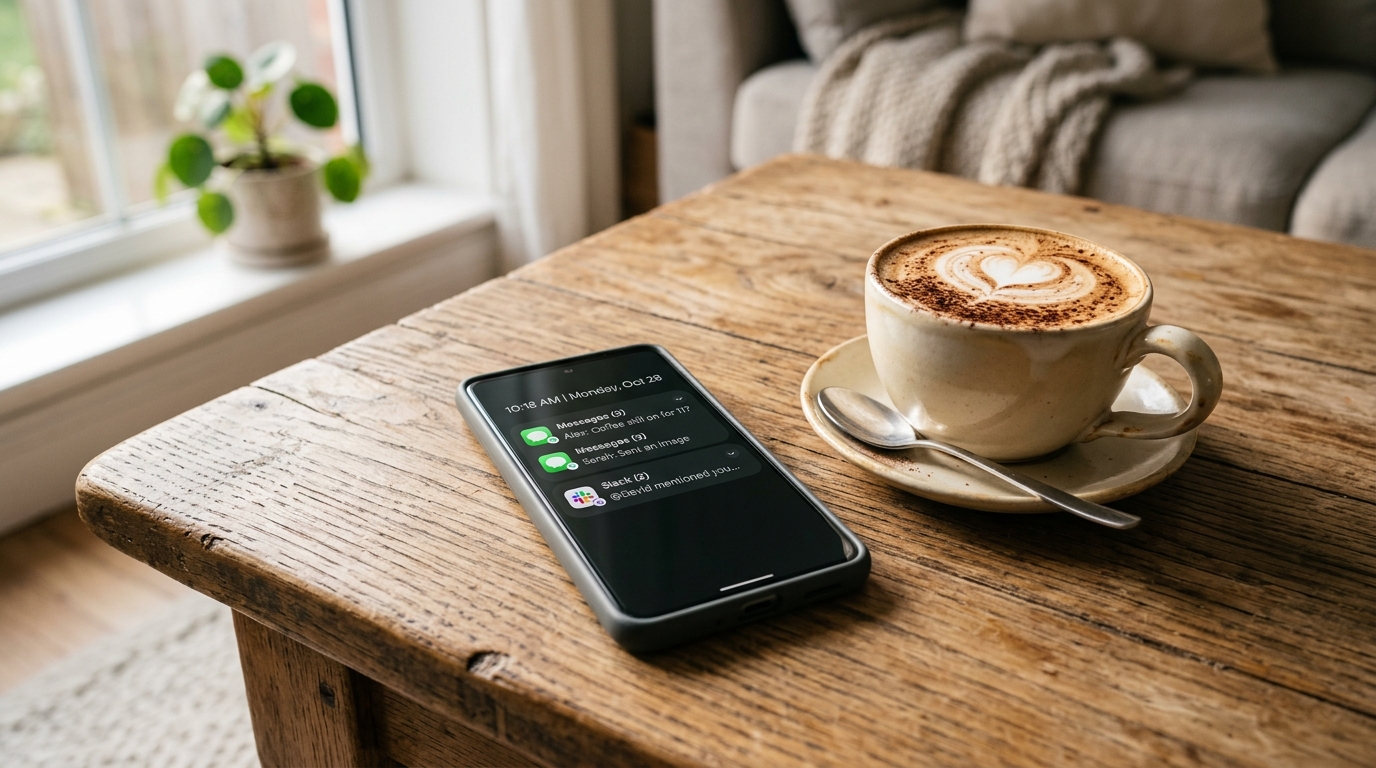
WhatsApp par chat karte waqt har kisi ke sath yeh situation zaroor aayi hogi:
“Kisi dost, colleague ya group member ne ek message bheja… aapne message open karne se pehle dekha toh screen par likha tha — ‘This message was deleted’ (Yeh message delete kar diya gaya hai).”
Human curiosity aisi cheez hai ki har koi yeh jaan-na chahta hai ki “Aakhir saamne wale ne aisa kya likha tha jo use turant delete karna pada?”
Internet par kai log GB WhatsApp, WhatsApp Plus, ya third-party Chinese apps download karne ki salah dete hain — lekin yeh aapke phone aur privacy ke liye behad khatarnak hain.
Is article mein hum aapke Android phone ke built-in official settings (Zero Third-Party Apps, Completely Safe) ka use karke deleted WhatsApp messages padhne ka genuine method batane ja rahe hain!
🚫 GB WhatsApp Ya Duplicate Modded Apps Kyun Use Nahi Karni Chahiye?
Pehle samajhte hain ki duplicate apps se door rehna kyu zaroori hai:
- Permanent WhatsApp Ban: Meta (WhatsApp) har mahine lakho accounts ko unofficial APKs use karne ki wajah se ban kar deta hai.
- Bank Account Fraud: Duplicate apps aapke SMS aur notification access maangti hain, jisse aapke banking OTPs unke hackers ke servers par transmit ho sakte hain.
- No End-to-End Encryption: In apps mein aapki personal photos aur private chats unencrypted hoti hain.
⚖️ Official Android Method vs Third-Party Mod APKs (GB WhatsApp)
| Security & Usability Factors | Android Built-in Notification History | Third-Party Mod APKs (GB WhatsApp, etc.) |
|---|---|---|
| Privacy & Security | Completely Safe (Local Android OS sandbox) | Critical Risk (Malware, credential theft) |
| WhatsApp Account Ban Risk | Zero Risk (Official OS feature) | Extreme Risk (Permanent phone number ban) |
| App Installation Required | No Apps Required (Pre-installed) | Requires sideloading unknown APKs |
| Bank OTP / SMS Safety | Full Protection | High Risk of SMS interception |
| Deleted Text Recovery | Yes (Past 24 hours of notification cache) | Yes |
| Recommended Verdict | Officially Recommended | Strictly Avoid |
🟢 Official Built-in Method: Android Notification History
Android 11, 12, 13, 14 aur Android 15 mein Google ne ek built-in feature diya hai jiska naam hai “Notification History”.
Yeh Feature Kaise Kaam Karta Hai?
Jab koi aapko WhatsApp par message bhejta hai, toh internet connect hote hi aapke phone ke notification bar mein message ka text store ho jata hai. Agar sender 2 minute baad “Delete for everyone” daba bhi deta hai, tab bhi Notification Log mein se message ka record delete nahi hota!
📱 Step-by-Step Setup: Notification History Kaise ON Karein?
Is feature ka fayda lene ke liye aapko ise ek baar apne phone mein activate karna hota hai:
Step 1: Phone Settings Kholein
- Apne Android smartphone ki Settings open karein.
Step 2: Notifications Section Mein Jayein
- “Notifications” ya “Apps & Notifications” par tap karein.
- Niche scroll karein aur “Advanced Settings” (ya More Settings) par jayein.
Step 3: Notification History Ko Enable Karein
- “Notification History” option par click karein.
- Upar diye gaye toggle switch ko ON (Active) kar dein.
🔍 Deleted Messages Kaise Dekhein? (Practical Use)
Ab jab bhi koi aapko WhatsApp par message bhej kar delete karega:
- Phone ki Settings -> Notifications -> Notification History par jayein.
- Yahan aapko pichle 24 ghante ke sabhi notifications ki list dikhegi.
- “WhatsApp” drop-down arrow par tap karein.
- Yahan aapko sender ka naam, exact time, aur unka bheja gaya original message bina kisi cut ke saaf-saaf padhne ko mil jayega!
📸 Deleted Photos & Voice Notes Ke Liye Bonus Tip
Notification history sirf text messages ko record karti hai. Agar aap chahte hain ki photos aur audio bhi miss na hon:
- WhatsApp open karein -> Settings (Three dots) -> Storage and data par jayein.
- Media auto-download section mein:
- When using mobile data: Photos & Audio ko tick karein.
- When connected on Wi-Fi: All media ko tick karein.
- Ab agar koi photo bhej kar turant delete bhi karega, toh file aapke phone ki Gallery / File Manager -> WhatsApp Images folder mein pehle hi save ho chuki hogi!
🏁 Final Words
Apne phone ki privacy aur security ke sath compromise kiye bina deleted messages padhne ka yeh sabse genuine aur official tarika hai.
Apne doston aur family members ke sath yeh safe trick zaroor share karein taaki woh kisi malicious GB WhatsApp ke jaal mein na fasein!
🔗 Zaroori Related Articles:
- 📌 Related Guide: Alternative method ke liye WhatsApp Notification History Se Deleted Chat Padhein check karein.
- 📌 Related Guide: Dialer privacy ke liye Call Recording Announcement Band Kaise Kare dekhein.
Ye article kaisa laga? Share karein:
Apne doston ki madad karein useful tech jankari share karke!
TechVerse VIP Community
Har roz nayi tech tips, hidden AI tools aur discount deals ke liye judein!
Aayush Kumar
Aayush Kumar TechVerse ke Founder aur Lead Technical Editor hain. Woh technology, software development, AI tools aur consumer gadgets par research-based content publish karte hain.
Lekhak ka poora profile aur sabhi articles dekhein →Related Posts 🔍

Call Recording Announcement Kaise Band Karein? (Google Dialer Fix 2026 - Realme, Vivo, Xiaomi, OnePlus)
Sep 16, 2026
CEIR Portal Request ID Bhool Gaye? Status Check Aur ID Recover Kaise Karein (2026)
Sep 13, 2026

Tech Freelancing Kaise Shuru Karein? 2026 Beginners Complete Guide (Upwork, Fiverr)
Aug 15, 2026
Google NotebookLM Kya Hai? Students Ke Liye AI Study Partner (Audio Podcast & Notes Summary)
Sep 11, 2026
Flipkart Big Billion Days 2026 and Amazon Great Indian Festival: Sale Dates, iPhone Deals and Best Tech Offers
React 19 vs Next.js 15: 2026 Mein Web Development Ke Liye Kaunsa Seekhein?
Tech Updates Seedha Inbox Mein!
Har hafta latest AI news, coding tips, aur gadget reviews. Get weekly tech updates straight to your inbox.
✅ No spam, sirf quality content. Kabhi bhi unsubscribe kar sakte ho.